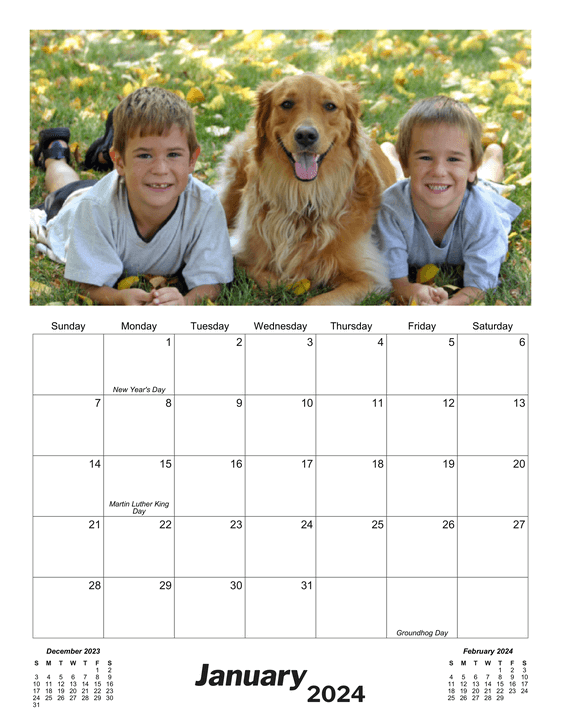
Monthly Photo Printable Calendar Template
Print your own professional-quality photo calendars with holidays and your birthdays & anniversaries included. See the Features section below for a full listing of customization options.
* denotes a PDF-only option
* denotes an Excel-only option
Features and Customization Options
- Adobe® PDF format (Requires Adobe Acrobat Reader)
- Microsoft® Excel® format (Requires Microsoft Excel)
- Multi-year access (Create calendars for 2026, 2027, or any other year, 1 AD - 10,000 AD)
- Customizable start day (any day, Sunday through Saturday)
- Include your schedule & repeating events
- Import events from your Google Calendar account
- Include your holidays & special occasions (birthdays, anniversaries, etc.)
- Portrait orientation
- Personalize it with a photo you upload (PDF), or simply copy a photo into Excel
- Automatic photo resizing (PDF)
- Multiple paper size options
PDF sizes: (Letter, A4, Ledger)
Excel sizes: (Letter, A4)
Learn more about paper sizes - Multiple language support (English, Español, Deutsch, Français, Italiano, Danish, and Nederlands)
More details
For best results, use a photo with pixel width of 540 and height of 297. Pictures smaller or larger than 540x297 will be scaled to size.
JPEG, GIF, and PNG formats are supported up to a file size of 2MB for the PDF calendars.