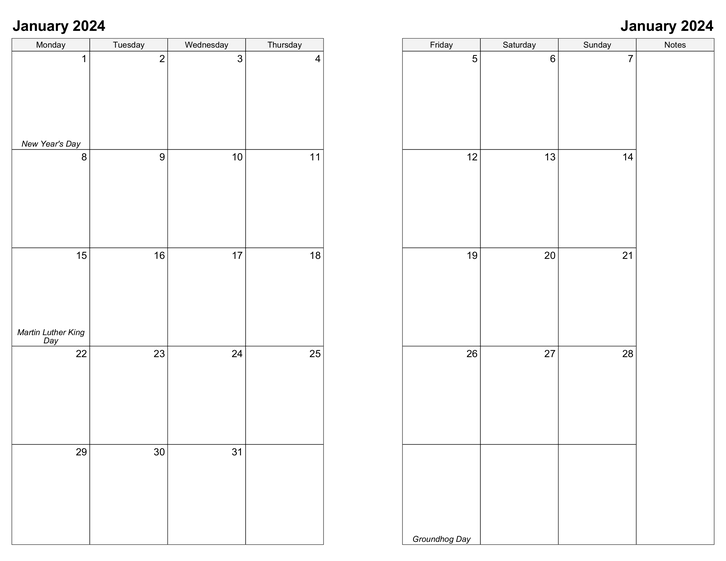
2-Page Monthly Printable Calendar Template
This template lets you create monthly calendars split across 2 pages with your schedule, events and holidays included (plus a column for notes). Print double-sided refills for your planner/organizer in Personal, Classic, Letter, and A4 paper sizes.
You must be logged in to download this calendar.
If you do not have an account, you can sign up for full access to CalendarsQuick which lets you download calendars for any week, month, or year.
Features and Customization Options
- Adobe® PDF format (Requires Adobe Acrobat Reader)
- Multi-year access (Create calendars for 2024, 2025, or any other year, 1 AD - 10,000 AD)
- Customizable start day (any day, Sunday through Saturday)
- Double-sided printing support (Scroll down for instructions)
- Include your schedule & repeating events
- Import events from your Google Calendar account
- Include your holidays & special occasions (birthdays, anniversaries, etc.)
- Portrait orientation
- Batch downloads (download all months for a year in one file)
- Multiple paper size options (Personal, Classic, Letter, A4) Learn more about paper sizes
- Multiple language support (English, Español, Deutsch, Français, Italiano, Danish, and Nederlands)
Double-Sided Printing Instructions
Check the "Sort pages for double-sided printing" option in the form above to download a file containing monthly pages sorted for back-to-back printing.
- Before printing
- The instructions below are intended as a general-purpose guide for modern inkjet and laser printers. If you have an older model printer, or one that grabs extra sheets while printing, or one that prints in reverse order by default, these instructions may not work for you without adjustments. Depending on the issue, you are encouraged to either set your printer to "forward order printing" or print only one month at a time.
- 1. Print the front pages
- From Adobe Reader, click File->Print to open the Print dialog, and set your page range to "All". Then change Subset to "Odd pages only", and click OK to print.
- 2. Print the back pages
- When the odd pages have printed, insert the stack into your printer so that the backs will be printed. From the Print dialog, make sure your print range is set to "All" and change Subset to "Even pages only". Check the "Reverse pages" box, then click OK to print (be sure to uncheck the Reverse pages box after printing).
- 3. Sort and bind your monthly planner
- Sort your monthly pages, cut (if using Personal or Classic size), and bind. Your custom monthly planner is ready to use!
Ready to get started?
Subscribe now
and start downloading calendars in minutes!