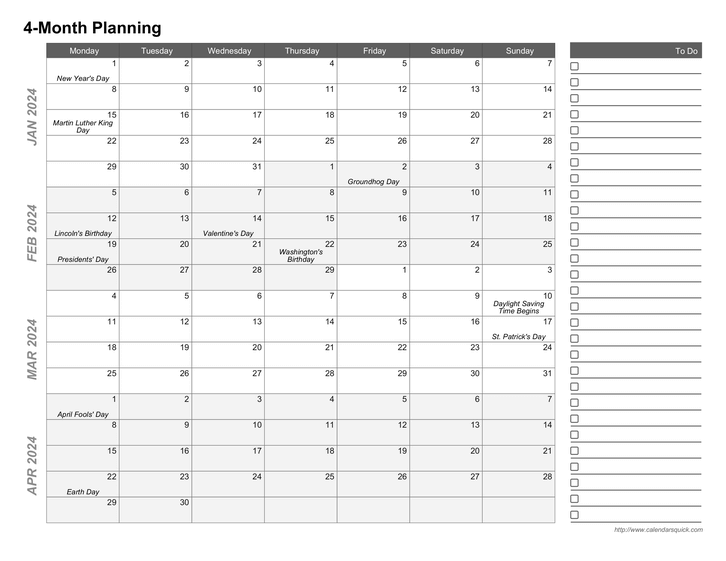
Multi-Month Printable Calendar Template
This template lets you create printable 4-month and 5-month calendars with your schedule and events included. 6-month calendars created with this template do not have room for events. Note: you can add a to do list column in PDF format, but not with the Excel version.
You must be logged in to download this calendar.
If you do not have an account, you can sign up for full access to CalendarsQuick which lets you download calendars for any week, month, or year.
Features and Customization Options
- Adobe® PDF format (Requires Adobe Acrobat Reader)
- Microsoft® Excel® format (Requires Microsoft Excel)
- Multi-year access (Create calendars for 2026, 2027, or any other year, 1 AD - 10,000 AD)
- Customizable page title
- PDF only: Optional to do list column (Calendar is full-page without)
- Customizable start day (any day, Sunday through Saturday)
- Include your schedule & repeating events
- Import events from your Google Calendar account
- Include your holidays & special occasions (birthdays, anniversaries, etc.)
- Portrait and landscape orientations
- Multiple paper size options (A4, Letter, Legal) Learn more about paper sizes
- Multiple language support (English, Español, Deutsch, Français, Italiano, Danish, and Nederlands)
Important: In later versions of Microsoft Excel,
this template renders incorrectly (broken grid borders and cell
shading). Be sure to download and check the sample file in your
version of Excel before signing up. Or try using an alternate program
like OpenOffice Calc.